How to Access Sent Messages
Login into the platform.
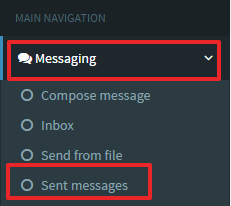
The sent messages appear as below:

Delivery Status:
 The message has been sent and delivered.
 The message has been sent and acknowledged by the destination network but not delivered.
 The message has been sent but has not yet been acknowledged by the destination network.
 The message has failed either due to:
- An incorrect format of the recipient's number
- The recipient's number is restricted or blacklisted
- The length of message exceeds the permissible characters
- The message has been pending for more than 24 hours (The duration varies depending on the network)